
Blocky Sandbox
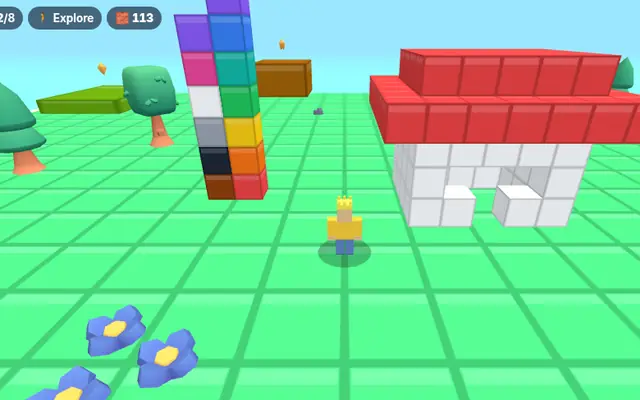
Make a blocky avatar with your own colours, hats and face, then explore a sunny island, find stars and build anything you like.
How to use: Open Customize to style your avatar. Walk with W A S D or the joystick, press 🧱 (B) to build and click or tap to place blocks, and 🧽 (X) to erase.
Blocky Sandbox
Your avatar, your colours, your island.
- Pick skin, shirt, trousers, hat and face
- Find all eight hidden stars
- Build with 12 colours and keep your creations
Loads about 0.8 MB the first time. Works with a keyboard, mouse or touch screen.
Play next
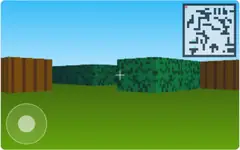
How to play Blocky Sandbox
Blocky Sandbox is a relaxed 3D game where you design your own character and then explore and build on a small island. There is no timer and no way to lose, so it is a good pick for younger players and for anyone who just wants to create.
Start in the avatar editor. Choose a skin tone, a shirt colour, trouser colour, a hat such as a cap, crown, top hat, party hat or halo, the hat colour, a face and a name. Your avatar is saved on this device and is also used in Sky Parkour 3D and Gem Tycoon.
Walk around with W A S D or the on-screen joystick, jump with Space or ⤒, and drag to turn the camera. Eight golden stars are hidden around the island, on hills, behind trees and on top of the stone stairs. The counter at the top shows how many you have found.
Press 🧱 or B to switch to build mode, pick a colour from the palette at the bottom, and click or tap the ground or another block to place a block there. Use 🧽 or X to erase blocks, and 💃 or G to dance. Your buildings are saved automatically, so they will still be there next time.
Frequently asked questions
Is my avatar saved?
Yes. Your avatar and your buildings are saved in your browser on this device. Nothing is uploaded.
How many blocks can I place?
Up to 1,500 blocks, which is plenty for houses, towers and pixel art.
Can I play with friends?
Not online. It is a single-player game, but you can take turns on the same device.